Timz DMR Repeater
return to DMR page , helpful tools
Importing a Digital ID Contact List
There's a world of helpful info just waiting to be displayed on your radios screen when participating in a conversation.
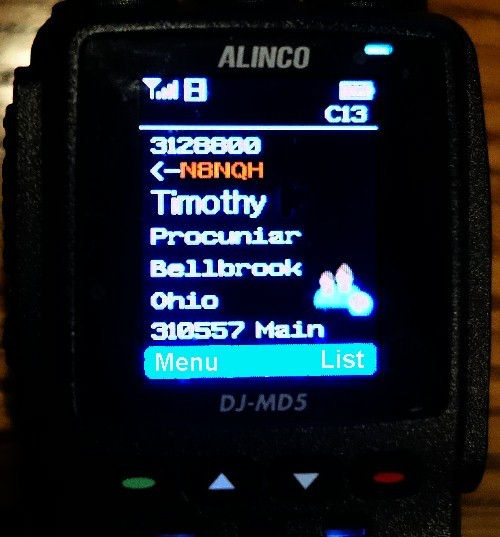
After placing this "lookup table" into your DMR radio, you will get this displayed when receiving a transmission:
from the top down, it shows
* callers digital ID number
* call sign
* Name (first/last)
* City
* State
* current group
Getting your radio to display this info can be easy. The newest DMR radios make this simple, the older radios... not so easy.
Summary:
* Download universal CSV data file from the internet
* Import the file into your radios programming software
* send codeplug (now with Contact List included) to your radio
I will use the Anytone 878 radio for this example (other radio mfgrs hopefully have a similar process like this.):
NOTE: if you have the MD380 portable or the 9600 mobile... instructions on those specific models can be found by clicking HERE. Go no further on this page.
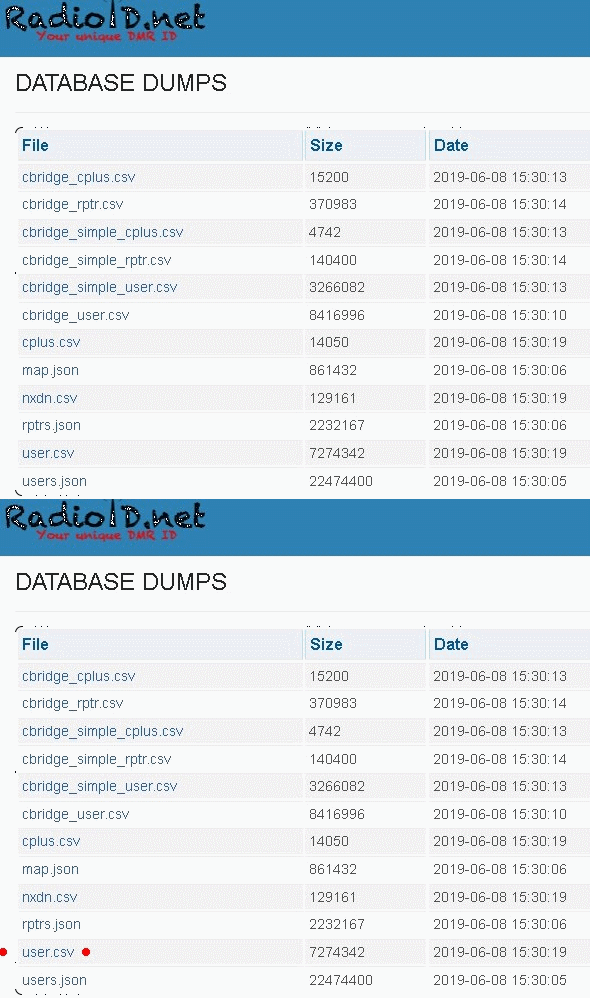
* Go to this web page: https://radioid.net/database/dumps#! (see note below for another option)
* find and then download the "user.csv" file to your computers hard drive.
Note: for a shorter list of contacts (some radios have limited memory)... download file "North America Contacts" from HERE for a smaller list of just North America hams.*Run your computers 878 software program
* Read your radio out as it currently sits.
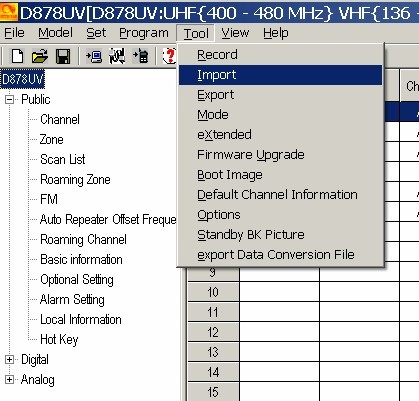
* Click on "TOOL" at the top of the screen
* Click on "Import"
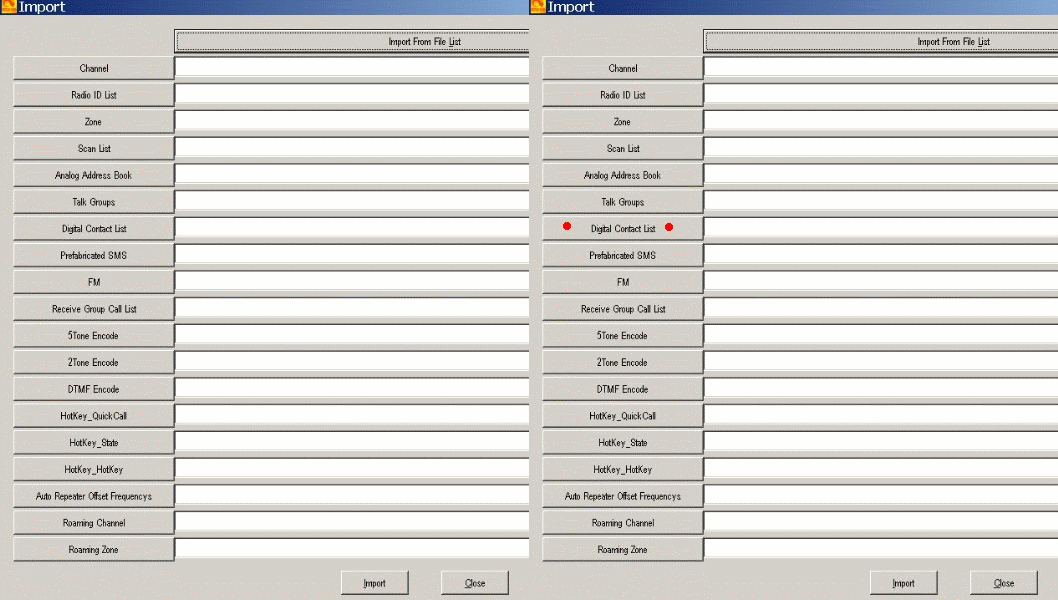
* on this next screen, click on the gray rectangle that says "Digital Contact List"
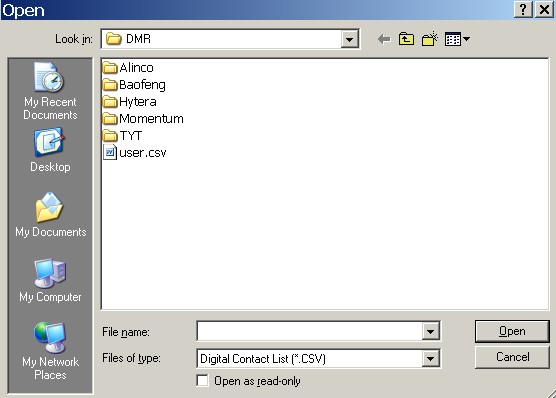
A box should appear asking you to locate the "user.csv" file you just downloaded:
Find the file and click on "open".
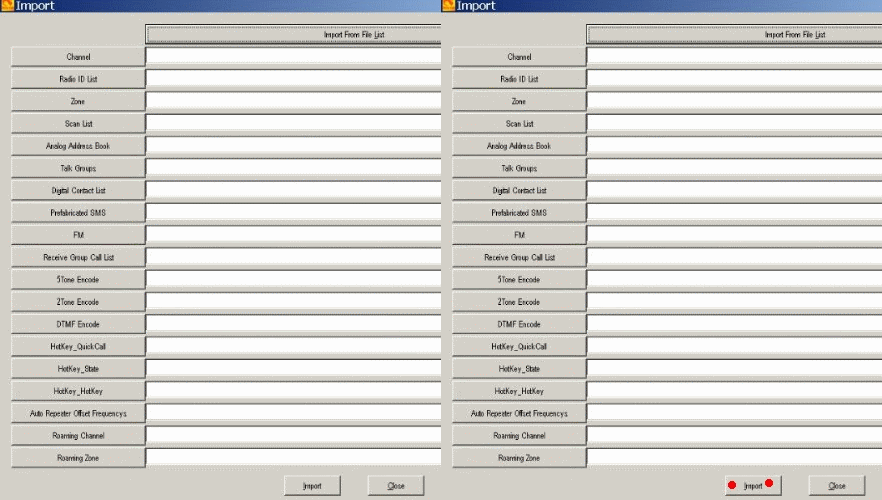
*at the bottom of the screen, click on "Import". This may take a few minutes, be patient.
Once done you should see a status box appear that says "Import Complete"
at this point, the contact ID list (lookup table) is in the program along with the frequencies, groupos, zones you already have.* save this codeplug, on your computer, then send it to your radio.
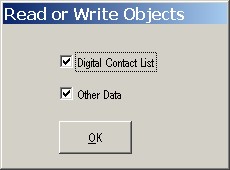
When you go to burn the radio with this new-fattened codeplug, you may be asked to select:Digital Contact List
or
Other Datacheck both boxes this time, and send this to your radio:
Done !
NOTE: if you have the MD380 portable or the 9600 mobile... click HERE