Timz DMR Repeater
return to DMR page , return to Radios page , helpful tools
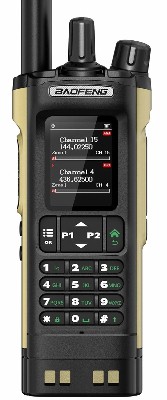
Baofeng DM-32UV
CPS software:
click HERE to download the v1.38 CPS for this radioInitial Setup:
Left/Right Click HERE (save as) to download a beginning codeplug that will get you on the air fast (if given a choice, do not save this as a text file).This is a basic program file with three zones. Two zones are DMR, the third is analog channels.
You will need to edit this Codeplug, to enter in your digital ID number.
note: you will need a digital radio ID; it's easy & free. click: https://www.radioid.net/#!
click the box near the bottom of the page: "I AGREE TO THE ABOVE TERMS AND CONDITIONS", and then click "Register Account"
After you load this codeplug into your software program; make the following changes:
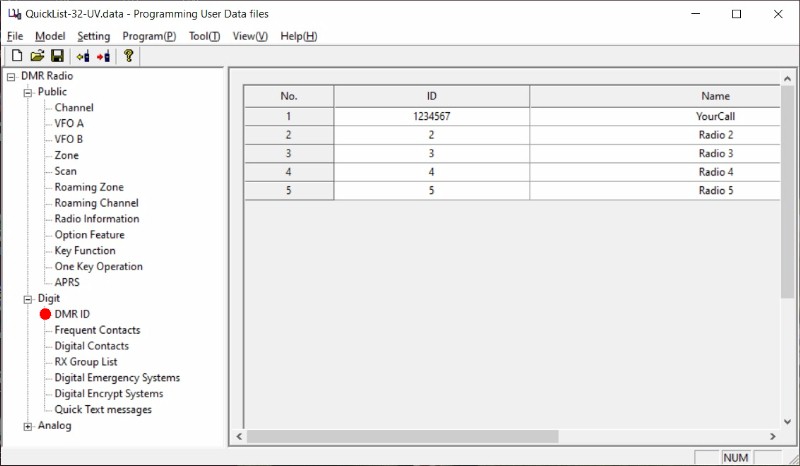
* Under DIGITAL / DMR ID enter in your digital ID (ID number) and call sign (Name), and as shown below:
even though the radio allows for multiple ID's ... just enter in your info in line 1. You can double click on that field to bring up an editing screen.
* Save your codeplug under a new name.
* program your radio with this codeplug.
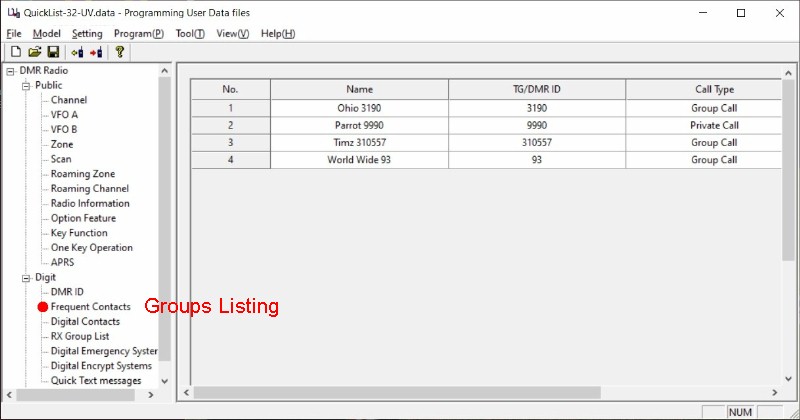
Entering your Group List
To build your Group list (for DMR memory channel creation), go into DIGITAL / Frequent Contacts
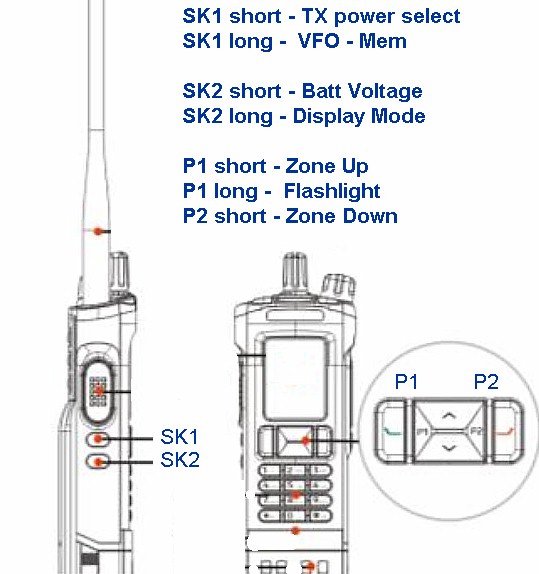
If you use the Timz Quick List codeplug, the buttons are configured as shown below:
Timz DMR Repeater
click HERE for handy DMR Toolz to make your DMR experience better click HERE for radio codeplugs already configured
Contact Repeater Administrators